Working alongside AI agents, part 2
This is a follow-up to my previous piece about declarative interfaces and how they adapt to a user’s needs. Using the example of an ad-buying workflow, we explored how user declarations can evolve into lightweight, ephemeral apps within apps—spinning up a customized UI in seconds and disappearing when the job is done.

Working alongside AI Agents
How I'm thinking about agentive design for complex software tools. When we shift to declarative interfaces, they can be more accessible and powerful.
Here, I dive deeper into the ramifications of those new capabilities by imagining them applied across an entire organization. The goal shifts from a single user prompting a single agent to a unified digital workforce operating autonomously in the background.
Transparency and attention
In my previous example, visibility was solved with a readable audit log. The user could inspect the AI’s logic step-by-step and understand why it did what it did.
Today, that seems quaint – model output now exceeds the limits of human attention and memory. As agents handle hundreds of operations, the design challenge fundamentally shifts to state management. How do we abstract the activity while keeping the user informed of the overall health of an invisible system?
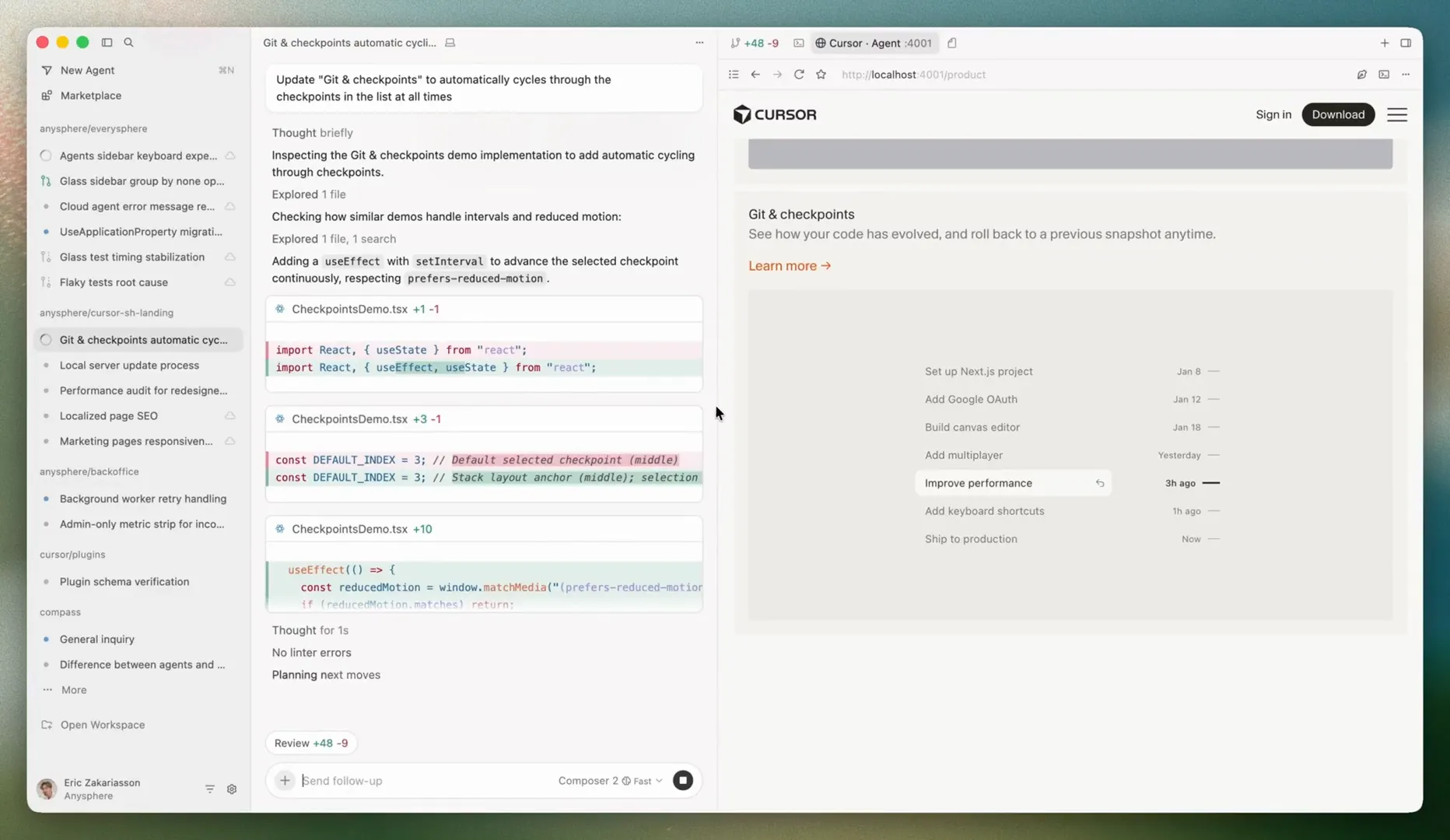
AI coding tools have somewhat solved this problem. They show the model output as it writes code, but you don’t even look at code in full anymore. It flies past you in the chat view. You can dive deeply if you want, but by default it shows the last five lines or whatever – a code iceberg.
We have to move from a live feed of every action to an overview that only demands attention when necessary. Users need to feel confident that the system is humming along without needing to micromanage it.
This ability to oversee effectively was once the work of managers and executives. But as people get agentic employees of their own, the next generation of knowledge workers will need the instincts of good management: knowing what to delegate, what to watch, and when to step back in.
Orchestration
Earlier, we looked at a tidy, linear handoff: a Product Manager agent passes requirements to a Designer agent, who passes specs to an Engineer agent. Lots of use cases aren’t that cleanly separated.
Legal drafting, for example, requires a complex, event-driven architecture. Let’s say a litigation partner uploads a batch of trial records. This event triggers a Coordinator agent to parse the court’s requirements and filing deadlines. At the same time, a Research agent identifies precedents while a Citation-management agent checks the work.
The design challenge is the connective tissue. How do we design the logic of how agents share context and hand off state? What happens when linear isn’t enough?
If the Research agent flags something, the orchestration layer must ensure the Writing agent adjusts the arguments and the Citation-management agent removes the obsolete case. The interface needs to map these complex, non-linear relationships in a way that a human can actually comprehend. (Also, this may be but one of a dozen such cases for which that human is now responsible.)
- ›Parker v. Meridian (2024) — 87% precedent similarity
- ›47 documents still pending privilege review
- ›14 statutory citations flagged for the draft
Trust
Everything so far has been about getting out of the user’s way – abstracting activity into an at-a-glance overview, automating the handoffs between agents. Trust runs in the opposite direction. At the highest-stakes moments, good design deliberately puts the human back in the loop.
Before an agent takes an irreversible action (Filing with the court! Moving money!) it should stop and ask.
Not every action: a system that asks permission for everything is just slow software, and one that asks for nothing is reckless. The design problem is deciding which actions are consequential enough to earn a gate, and letting the system ask less often as it earns confidence.
When that moment comes, stopping is the designed behavior. A probabilistic system will hit snags (like a flagged security risk or an ambiguous instruction), and the graceful response to a high-consequence snag is not to push through but to pause and surface a clear, localized point of intervention.
And here the whole arc reverses. The first two sections were about hiding the iceberg – shrinking hundreds of operations into a calm summary. At the moment of intervention the system has to do the opposite: expose it in full, and hand back the very controls we’ve worked so hard to reduce and automate away. The user, who a moment ago was a manager overseeing a digital workforce, is snapped back into the role of individual contributor, making one careful call, by hand, where it matters most.